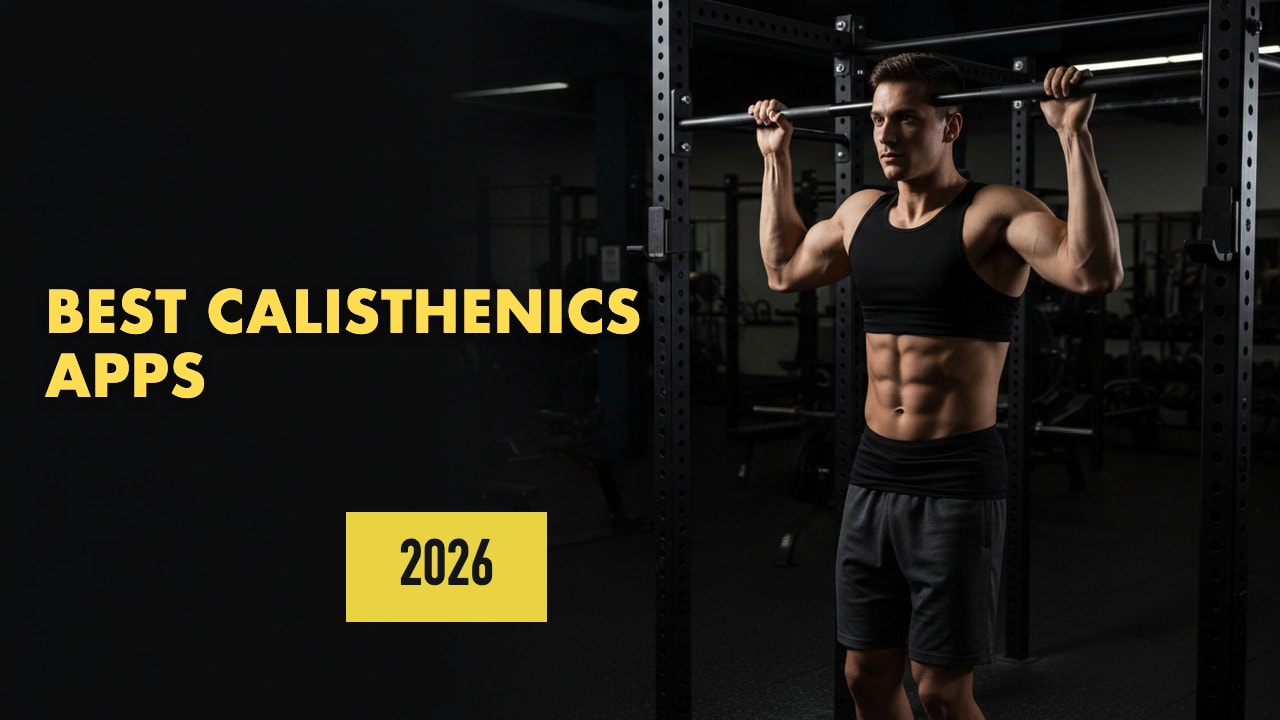
The best calisthenics app depends on what you want from bodyweight training. If you want a structured plan that makes you stronger week after week, or you want to mix calisthenics with weights, LoadMuscle is the best free option. If your goal is one specific skill, like a planche or a front lever, a dedicated calisthenics app will coach it better.
That is the honest split. Dedicated apps like Calisteniapp, Thenics and Thenx break advanced skills into many small steps and teach the technique. LoadMuscle is the better choice for the weekly plan around them: push, pull, legs and core balanced across the week, with progression plans for push-ups, pull-ups, pistol squats, handstands and muscle-ups.
Below: what a calisthenics app needs, a quick-pick table, the 7 best apps with who each one suits, and how to start.
TL;DR
- Best free app for structured plans: LoadMuscle. Free bodyweight progression plans, AI planning, and easy to mix with weights.
- Best for skill tutorials: Calisteniapp. Planche, front lever, back lever, human flag and more, with 500+ free routines.
- Best skill-by-skill progressions: Thenics. Seven skills free, seven more in Pro.
- Best coach-led programs: Thenx. Paid subscription.
- Best free beginner library: Caliverse.
- Want a bodyweight plan right now? The free workout planner builds one in about a minute, no signup.
What a Calisthenics App Needs
Skill progressions. Every hard move needs a ladder of easier steps. A pull-up ladder might run from dead hangs to pull-up negatives to band-assisted reps to a full pull-up. A good app tells you what the next step is and when you have earned it.
Structured bodyweight plans. Skills are fun. Strength comes from a weekly plan that trains pushing, pulling, legs and core in balance, and keeps getting harder.
Tracking that fits bodyweight work. You need to log reps, hold times in seconds, added weight on dips and pull-ups, and band or machine assistance. A tracker built only for barbell numbers handles this badly.
Technique coaching. For skills like the handstand or planche, video tutorials and cues matter more than in barbell training, because small position changes make a move much easier or harder.
Equipment options. Floor only, a pull-up bar, dip bars, rings, or a full gym. The app should know what you have.
Room for weights. Many people train calisthenics for the upper body and lift for the legs. If that is you, pick an app that can plan both.
Quick-Pick Comparison Table
| App | Best for | Skill coaching | Free option | Platforms |
|---|---|---|---|---|
| LoadMuscle | Structured plans, mixing calisthenics with weights | Progression plans for push-up, pull-up, pistol squat, handstand and muscle-up | Free app and free web planner | iPhone, Android |
| Calisteniapp | Skill tutorials | Deep: planche, levers, human flag, muscle-up, handstand | 500+ free routines | iPhone, Android |
| Thenics | Skill-by-skill progressions | 14 skills (7 free) | 7 skills free | iPhone, Android |
| Thenx | Coach-led programs | Muscle-up, handstand, planche tutorials | Free download, paid subscription | iPhone, Android |
| Caliverse | Free beginner plans | Advanced skill plans in Premium | 200+ free workouts | iPhone, Android |
| Freeletics | AI bodyweight conditioning | Light | 34 free workouts | iPhone, Android |
| Hevy | Logging reps and weighted calisthenics | None | Free tier | iPhone, Android |
The 7 Best Calisthenics Apps (2026)
1. LoadMuscle (Best Free Calisthenics App for Structured Plans)
Download App: Google Play| App Store
LoadMuscle ranks first because it gives you the most structure for free. You can start from a ready-made plan or have the AI build one from your goal, experience level, equipment and schedule.
The ready-made calisthenics plans cover the progressions most people search for:
- Beginner calisthenics workout plan, a 3-day starting program
- Push-up progression plan
- Pull-up prep plan
- Pistol squat progression
- Handstand plan for beginners
- Muscle-up progression plan
The other reason it is #1 is weights. Tell the AI you have a pull-up bar and a gym, and your plan can put pull-ups and dips next to squats and Romanian deadlifts. Dedicated calisthenics apps are built around bodyweight training, so if you lift too, you usually end up planning the barbell half yourself.
Every exercise has a demo (4,000+ in the library), and the app tracks your progress.
Best for: Beginners and intermediates who want a full weekly plan, and anyone mixing calisthenics with weights.
Pros:
- Free progression plans for push-ups, pull-ups, pistol squats, handstands and muscle-ups
- AI builds plans for bodyweight, home or gym equipment
- Demos for 4,000+ exercises and progress tracking
- The web AI workout planner needs no signup and exports a PDF
Cons:
- No dedicated programs for advanced static skills like the planche or front lever
- Exercise demos, but no long technique tutorials for each skill
- Newer app, so the community is still growing
2. Calisteniapp (Best for Skill Tutorials)
Calisteniapp has guided tutorials for the first pull-up, push-ups, handstand, muscle-up, front lever, back lever, planche and human flag. Its App Store listing counts 700+ exercises, 40+ guided programs and 500+ individual routines.
The free tier is generous: the 500+ routines with unlimited sessions. PRO unlocks all programs, challenges, advanced metrics and EVO routines, which adjust your daily training load based on how you perform. The app also recommends a starting program from your level and goal, and it works on Apple Watch.
Best for: Anyone chasing a specific skill who wants step-by-step tutorials.
Pros:
- Tutorials for advanced skills most apps skip
- 500+ routines on the free tier
- Adaptive EVO routines in PRO
Cons:
- Full programs and adaptive routines are paid
- Built for bodyweight training, not for planning barbell work
- PRO prices vary by region
3. Thenics (Best Skill-by-Skill Progressions)
Thenics is organized by skill. Each skill is split into several progressions, each with its own workouts and technique notes, so you learn a move one level at a time.
Seven skills are free: muscle-up, planche, front lever, back lever, pistol squat, handstand push-up and V-sit. Thenics Pro adds seven harder ones, including the one-arm pull-up, human flag, one-arm handstand and dragon flag. Pro also unlocks the Thenics Coach, which generates a personalized plan from your goals.
Best for: Intermediate athletes who know which skill they want next.
Pros:
- Clear progressions for each skill
- Seven skills free, including the planche and front lever
- Coach feature for personalized plans in Pro
Cons:
- Built around skills more than a balanced weekly program
- Coach plans need Pro
4. Thenx (Best Coach-Led Calisthenics Programs)
Thenx has beginner to advanced calisthenics programs, daily workout recommendations for your level and goal, and skill challenges with expert tutorials for the muscle-up, handstand and planche. It covers home, outdoor street workouts and gym sessions with added resistance, plus mobility work. It logs reps, sets and personal bests.
Thenx is free to download but built around a paid subscription. The App Store lists several monthly and yearly prices.
Best for: People who want an expert-led calisthenics program and are happy to pay for it.
Pros:
- Expert-led programs from beginner to advanced
- Skill tutorials for the muscle-up, handstand and planche
- Home, street and gym options
Cons:
- Paid subscription for the full experience
- The listing does not make clear what is free
5. Caliverse (Best Free Beginner Library)
Caliverse is free with an optional Premium tier. The free version includes 200+ workouts, all of its base training plans, monthly challenges and community access. The listing counts 500+ exercises, each with video and a description.
Premium adds advanced plans for specific skills, follow-along video workouts and technique tutorials. Its Smart Coach builds plans from your goals, experience and equipment, and every user gets five free workout creations or adjustments.
Best for: Beginners who want plenty of free bodyweight workouts before paying for anything.
Pros:
- 200+ free workouts and all base plans
- 500+ exercises with video
- Smart Coach plans from your goals and equipment
Cons:
- Advanced skill plans and tutorials are Premium
- Only five free workout creations or adjustments
6. Freeletics (Best AI Bodyweight Conditioning)
Freeletics is an AI coach built around bodyweight HIIT and calisthenics-style training. The free version has 34 bodyweight HIIT workouts and 100+ exercises. The paid Coach subscription adds the AI trainer, 30 Training Journeys, 700+ exercises, a routine builder and Apple Watch control, with a 14-day money-back guarantee.
It is better for fitness and conditioning than for learning skills. You get harder over time, but nobody is teaching you the front lever.
Best for: Home and travel training where the goal is fitness more than skills.
Pros:
- AI adjusts workouts to your level and feedback
- Works anywhere with no equipment
- Free starter workouts
Cons:
- Little skill coaching
- AI coach requires a subscription
For more AI-driven options, see the best AI workout apps.
7. Hevy (Best for Logging Calisthenics)
Hevy does not plan your training, but it logs calisthenics properly. It has three bodyweight exercise types: bodyweight, assisted and weighted. Assisted subtracts the band or machine help from your bodyweight. Weighted adds the extra load on top of your bodyweight for moves like pull-ups and dips. The free tier includes unlimited routines.
Best for: Experienced athletes who run their own program and want accurate numbers.
Pros:
- Bodyweight, assisted and weighted exercise types
- Unlimited routines on the free tier
Cons:
- No plans, progressions or skill coaching
- You supply the program
Comparing trackers? See LoadMuscle vs Hevy and our Hevy alternatives.
Left off this list: Madbarz. As of November 2026, its App Store version was last updated in July 2024.
Dedicated Calisthenics App or General Workout App?
Use a dedicated app if your goal is an advanced skill. The planche, front lever and human flag take months of specific practice. Calisteniapp, Thenics and Thenx split them into more steps and teach more technique than a general app does.
Use LoadMuscle if your goal is strength and muscle. A balanced week, a progression for each basic movement, and a plan that can include weights will take most people further than skill work alone.
Or use both. Run your weekly plan in LoadMuscle and spend 10 to 15 minutes at the start of each session on one skill from a dedicated app. Practice the skill while you are fresh, then do the strength work.
Mixing training styles is common. If you also run, the hybrid training guide shows how to fit strength sessions around your runs without wrecking recovery.
How to Start Calisthenics with an App
- Test your basics. Max push-ups, max pull-ups (or how long you can hang), and how many bodyweight squats you can do with good form.
- Pick a 3-day plan. The calisthenics workout plan for beginners is a 4-week program built on push-up, pull-up, squat, dip and core progressions. The Calisthenics Starter plan is the ready-made version.
- Progress by variation. When you hit the top of the rep range on every set, move to the next harder version of the exercise.
- Add one skill at a time. Once you have solid pull-ups and dips, start a muscle-up or handstand progression. Not both at once.
Training at home with no bar yet? The 15 bodyweight exercises you can do anywhere give you a home routine with little or no equipment.
FAQ
What is the best calisthenics app in 2026?
LoadMuscle is the best free option for structured bodyweight plans and for mixing calisthenics with weights. It has push-up, pull-up, pistol squat, handstand and muscle-up progression plans plus an AI planner. For coaching advanced skills like the planche or front lever, Calisteniapp, Thenics and Thenx go deeper than any general app.
What is the best free calisthenics app?
LoadMuscle is free and gives you complete bodyweight plans and AI planning. Calisteniapp has 500+ free routines with unlimited sessions, Caliverse's free tier includes 200+ workouts and all of its base training plans, and Thenics includes seven skills for free, including the muscle-up, planche and front lever.
What is the best calisthenics app for beginners?
Start with an app that gives you a full weekly plan built on the basics: push-ups, rows, squats, hangs and core work. LoadMuscle's beginner calisthenics plan and Caliverse's free base plans both do this. Calisteniapp also recommends a starting program based on your level and goal. Leave skills like the muscle-up until you have solid pull-ups and dips.
Can you build muscle with a calisthenics app?
Yes, as long as the app keeps making the work harder. That means moving to harder variations, adding reps, and eventually adding weight to pull-ups and dips. Upper body muscle comes easily with bodyweight training. Legs are harder to load, so use single-leg work like pistol squats or add a few weighted leg exercises.
Do I need equipment for calisthenics?
Not much. The floor and a pull-up bar cover most of a beginner program. Dip bars or parallettes, gymnastic rings and a resistance band for assisted pull-ups are useful next steps. Tell your app what you have so the plan fits it.
The Verdict
For most people, LoadMuscle is the best calisthenics app of 2026: free, structured bodyweight plans with clear progressions, and an AI planner that handles barbells and machines as easily as bodyweight. If you are chasing a planche, front lever or human flag, add Calisteniapp or Thenics for the skill work. If you want a coach-led program and do not mind paying, Thenx is the pick. Our best free workout apps list covers more free options outside calisthenics.
Here is how to start today:
Option 1: Build your own plan. The Free Workout Planner creates a plan around your goal, your schedule and the equipment you have, bodyweight included. It takes about a minute, and you can download it as a PDF or share it by link.
Option 2: Start from a ready-made plan. The workout routines library has plans you can follow as they are. For bodyweight work, start with the calisthenics routines.
Option 3: Take it to the bar on your phone. The LoadMuscle app builds a personalized plan with AI, has ready-made plans you can start right away, shows demos for 4,000+ exercises, and tracks your progress. It is free on iPhone and Android.
Test your push-ups and pull-ups today, write the numbers down, and beat one of them next week.